Vibra Live: Go Live
- 3.9
- Rating
- 500.00K
- Installs
- Free
- Price

 Analysis by App-foxy
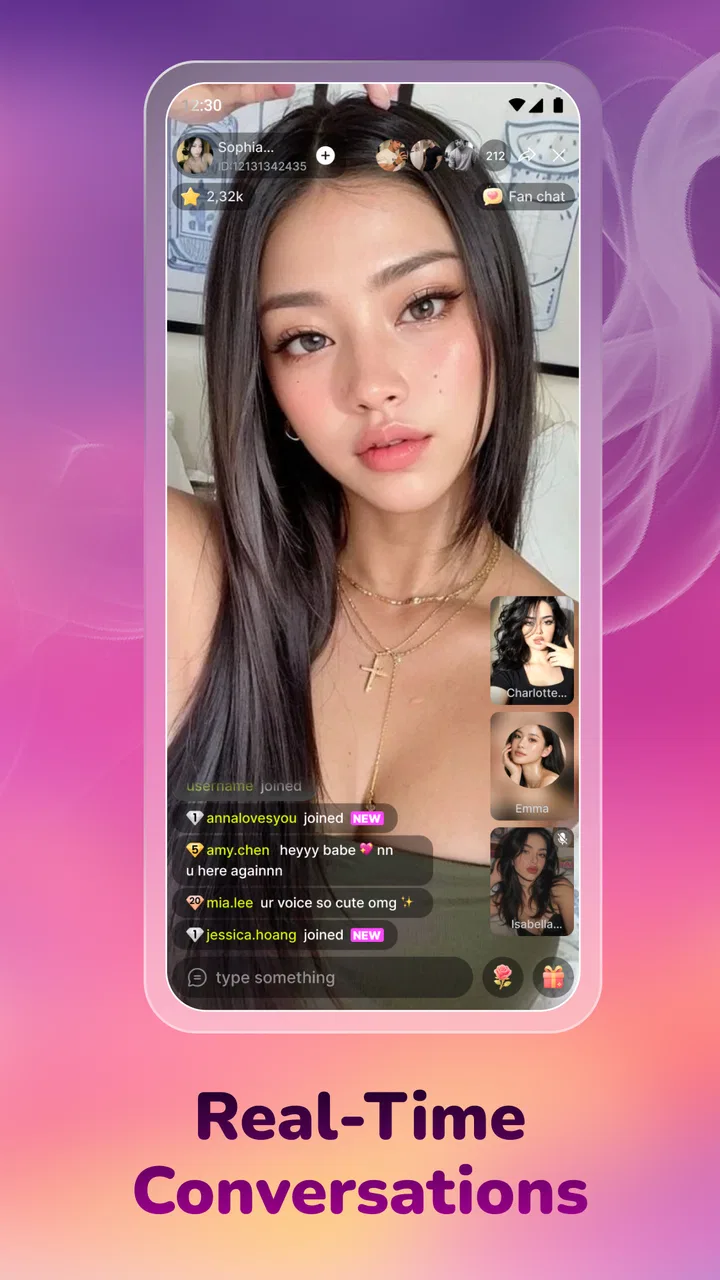
When I try a new social app, I care less about a polished promise and more about what happens in the first few minutes: can I get oriented, can I connect without confusion, and can I recover when something does not work as expected? That is the lens I used with Vibra Live, a free social app from Vitality AI built around live streaming, video chat, short videos, and meeting people across the world.
My overall impression is that Vibra Live is aimed at people who want several ways to be social in one place rather than a single-purpose messaging tool. You can approach it as a viewer, a casual participant, or someone looking for more direct conversation. That flexibility is appealing, but it also means the experience can feel less immediately obvious than a conventional chat app. The main challenge is learning which part of the app suits the moment you are in.
The app is rated Teen, and that matters here. Live interaction and contact with people you do not know require ordinary online judgment: avoid sharing personal details too quickly, leave conversations that feel uncomfortable, and use the platform only in a setting where you can pay attention. I would not treat the age label as a substitute for supervision or good boundaries.
You May Also Like

 Pandora - Music & Podcasts
Pandora’s Music Is Easy to Start, but Harder to Recover
Pandora’s strength is its low-effort path from a seed to a station. Its weak spot is how much confidence it asks you to place in connection, setup, and quiet recovery.

 8 Ball Pool
 Is Built on Rivalries, Rematches, and Routine
A close look at the rivalries, rematches, shared routines, and unanswered safety questions that turn a quick pool match into a persistent mobile community.

 Samsung Music
’s Quiet Strength Is Playing What You Already Own
Its reach comes less from spectacle than from dependable access to a personal library. That simplicity is both the app’s strongest retention engine and its ceiling.

 AccuWeather: Weather Radar
AccuWeather Review: A Quick, Clear Forecast for Everyday Decisions
For everyday plans, the best forecast is the one you can understand quickly. AccuWeather makes rain timing, radar, and local conditions easy to act on, with a few trade-offs.

 Hill Climb Racing
Why Hill Climb Racing Still Turns Crashes Into One More Run
A tiny car, a bumpy hill and one more upgrade: Hill Climb Racing keeps resurfacing because its simple chaos makes every near-miss feel personal.

 AliExpress - Shopping App
AliExpress Makes Global Shopping Feel Personal, but Shoppers Bear the Risk
AliExpress turns a global marketplace into a pocket-sized discovery engine. Its reach is useful, its shopping loop compelling, and its trade-offs easy to miss.
More From Our News Desk
View All News


Getting past the first points of friction
The first place I expect users to get stuck is deciding where to begin. A live-streaming app, a short-video feed, and video chat encourage different habits. Short videos are easy to sample, while live content asks for more attention and direct interaction can feel more personal. If you open the app without a simple goal, it is easy to browse without learning what Vibra Live is best at for you.
I recommend starting as a viewer rather than immediately trying to broadcast or begin a private conversation. This gives you time to understand the pace of the community, the kind of content appearing in the feed, and how people move between public and more direct interaction. It is also a useful way to decide whether the social tone suits you before investing time in building a presence.
A practical first session might be only ten minutes. Watch a few short videos, look at a live stream, and notice which actions are clearly available. Then close the app and return later with one purpose, such as finding a conversation or exploring live content. This small reset prevents the usual problem of trying every section at once and remembering none of it.
Another likely source of confusion is the difference between watching and participating. A viewer can remain passive, but the attraction of Vibra Live is the possibility of connection. If you prefer a quiet feed with no social pressure, the short-video side may be the most comfortable entry point. If your goal is meeting people, you will probably need to spend time learning how conversations begin and how quickly they become personal.
The best way to judge the app is to test one social path at a time. Treat live streaming, short videos, and video chat as separate experiences during your first few sessions. That approach makes it easier to identify whether a problem is with the app itself, your connection, or simply a feature that does not match your habits.
What the app is like in everyday use
Vibra Live makes the most sense for someone who enjoys discovering people through a mixture of formats. A short video can be a low-commitment introduction, a live stream can create a more immediate sense of presence, and video chat offers a more direct exchange. In my view, the combination is more interesting than using a social app that offers only one of those activities.
Imagine finishing work or school and wanting a little company without arranging a formal call. You could browse short videos first, move into a live session that catches your attention, and decide later whether you want a more direct conversation. That sequence is more natural than opening a messaging app with no one specific to contact. It gives you a way to discover interaction rather than having to plan it in advance.
The trade-off is that discovery-based social apps require more filtering from the user. Not every stream or conversation will be worth your time, and a worldwide audience means you may encounter different communication styles. I would keep expectations realistic: this is a place to explore social contact, not a guaranteed way to find close friends immediately.
The current version is 1.0.8, and the app supports Android 7.0 or later. That broad compatibility is helpful if you use an older Android phone, although compatibility alone does not guarantee a smooth experience. Live video is more demanding than ordinary text, so the quality you experience will depend on the phone, connection, and surrounding network conditions as well as the app.
Setup checks that save time
Before blaming Vibra Live for a failed session, I would run through a few simple checks. First, make sure the app has finished installing and opens normally. If the first launch feels slow, give it a moment rather than repeatedly tapping buttons. Repeated taps can make it difficult to tell whether the app is responding or whether the screen is still loading.
Next, check the connection you are using. Live video and video chat are especially sensitive to unstable service. If a stream pauses, the picture becomes inconsistent, or a conversation fails to start, switch between your available network options if possible and try again. A short test with another online service can help you distinguish a general connection problem from an issue limited to Vibra Live.
Phone resources are another practical consideration. Close apps that are actively using the camera, microphone, or a large amount of memory, then reopen Vibra Live. This is particularly useful when moving from a video-heavy app to a live-streaming app. If your phone is warm or its battery is low, a demanding video session may also behave less reliably.
Keep the first test simple. Do not begin with a long broadcast or an important conversation. Open a short-video area, then try a live feature, and only after that consider video chat. This staged approach gives you a clear baseline and reduces the chance of confusing several separate issues.
It is also worth checking your own environment. A noisy room, bright light behind you, or an unreliable wireless connection can make a conversation feel broken even when the app is functioning. Sitting closer to the router, moving to a quieter space, and placing the phone where the camera is stable are ordinary changes, but they often improve the experience more than repeatedly reinstalling an app.
Recovering when a session goes wrong
When a live stream does not behave properly, I would avoid making several changes at once. Leave the session, wait briefly, and try opening another piece of content. If other content loads, the original stream may have encountered a temporary issue. If nothing loads, the problem is more likely related to the connection, the phone, or the app session.
Force-closing and reopening the app is a reasonable next step. It clears a stuck session without changing your wider setup. If the problem continues, restart the phone and try again with other resource-heavy apps closed. These are basic steps, but they are safer and more informative than immediately changing settings you do not understand.
For video chat, test the experience in stages. First confirm that the app opens normally. Then see whether other content works. Finally, try the call again. If the call alone fails while the rest of the app behaves normally, record what happened in plain language: whether it failed to connect, stopped during the conversation, or had an audio or picture problem. That detail is much more useful if you need help than simply saying that video chat is broken.
I would also avoid repeatedly tapping a connection or invitation control. In social apps, rapid repeated actions can create uncertainty about whether a request was sent once or several times. Wait for the interface to respond, then check the current screen before trying again. This is a small habit, but it prevents accidental duplicate actions and unnecessary frustration.
If reinstalling becomes necessary, use it as a later step rather than the first response. Make sure you remember any account details you need before removing the app. Reinstallation can clear local problems, but it does not fix a weak network, an overloaded device, or a problem on the other person’s side.
When the app is not the cause
Social video services are unusually dependent on other people and on the network between you and them. A delayed reply does not automatically mean the app failed. The other person may have left, lost service, or chosen not to continue. Similarly, a stream that ends unexpectedly may be affected by the broadcaster’s connection or device rather than your installation.
This distinction is important because Vibra Live is built around live interaction. A normal messaging app can often deliver a message later, but a live session loses value when the connection becomes unstable. If your internet service is inconsistent, a short-video experience may feel more usable than video chat. I would choose the format that matches the reliability of your connection instead of forcing the most demanding feature.
Your phone can also be the limiting factor. Older hardware may open the app successfully but struggle more with sustained video, switching between screens, or keeping several processes active. The minimum operating-system requirement tells you whether installation is supported, not how comfortably every feature will run. If the app works for browsing but becomes unreliable during video interaction, device capacity is one possibility worth considering.
There is a similar issue with expectations around international connection. Meeting people worldwide sounds broad, but it also means differences in language, time zone, conversation style, and availability. If you want predictable communication with friends you already know, a familiar messenger or a private calling tool may be a better fit. Vibra Live is more suitable when discovery and variety are part of the appeal.
Privacy and personal boundaries deserve attention as well. I would not share a home address, school details, workplace access information, financial information, or private images with someone simply because a conversation feels friendly. If an interaction becomes pressuring or invasive, ending it is the correct response. The social value of the app should never depend on tolerating behavior that makes you uncomfortable.
How it compares with familiar alternatives
Compared with a standard messaging app, Vibra Live is less focused on keeping up with people you already know and more focused on discovering social activity. A messenger is usually the better choice for reliable one-to-one communication, group planning, and conversations where you already have trusted contacts. Vibra Live has the stronger case when you want a feed, live presence, and the possibility of meeting unfamiliar people in the same app.
Compared with a short-video platform, its appeal is the move toward direct interaction. Short videos are easier to consume in spare moments, while live streaming and video chat ask you to participate more actively. If you mainly want entertainment while commuting or taking a quick break, a dedicated short-video service may feel more streamlined. If you want the content to lead into conversation, Vibra Live offers a more relevant mix.
Compared with a dedicated video-calling service, Vibra Live is more spontaneous but less suited to formal or dependable calls. I would not choose it for an important appointment, a work meeting, or a conversation that must be available at a precise time. Its strength is casual social discovery, not replacing every communication tool on your phone.
The free price makes trying it low-risk, but there are in-app purchases ranging from $0.99 to $14.99 per item. I would use the free experience first and decide whether the app genuinely adds value before buying anything. In a social environment, paid items can become tempting because they are connected to visibility or interaction, so setting a personal spending limit in advance is sensible.
Who should try it, and who should skip it
I think Vibra Live is a good match for curious users who enjoy live content, short videos, and meeting people beyond their existing contacts. It can also suit someone who wants a casual evening activity that is more interactive than scrolling but less structured than arranging a call. The app’s worldwide social angle is most attractive when you are comfortable with unpredictability.
I would be more cautious about recommending it to someone who wants a quiet, private, highly controlled experience. It is also not my first choice for users with unreliable connectivity, limited patience for learning a multi-format interface, or a strict need for scheduled communication. In those cases, a conventional messenger or dedicated calling app is likely to create less friction.
Parents and guardians should take the Teen rating seriously and discuss sensible boundaries before a younger user spends time in live or direct social spaces. The useful conversation is not only about screen time. It should also cover what information stays private, how to leave an uncomfortable interaction, and why an online acquaintance should not automatically be treated like a trusted friend.
My practical verdict after using it
Vibra Live is an appealing social experiment for people who want live streaming, video chat, and short-form discovery together. I like the way it can support different levels of involvement: watching when I want something easy, joining live activity when I have more time, and using direct video interaction when a conversation feels worth pursuing.
Its main weakness is not a single missing feature; it is the amount of judgment the experience asks from the user. You need to choose the right format, troubleshoot connection problems patiently, and manage social boundaries yourself. That is normal for this kind of platform, but it means the app will not feel equally comfortable to everyone.
With an average rating of 4.3 from over three hundred ratings and more than one hundred thousand installs, it has attracted a meaningful early audience without looking like a universal replacement for established social tools. I would read that as encouragement to try it, not as a reason to expect a flawless experience.
My recommendation is to install it if you want casual international social discovery and are willing to begin slowly. Start with browsing, test the connection before attempting longer video interaction, and keep purchases optional until you know how much you actually use the app. For dependable communication with people you already know, choose a dedicated messenger. For spontaneous live interaction and a broader social mix, Vibra Live is worth exploring.
FAQs for Vibra Live: Go Live
01What is Vibra Live: Go Live?
Vibra Live: Go Live is a social live-streaming app designed for watching and hosting real-time broadcasts. After exploring its main features, I found that users can interact through live video, chat, reactions, and virtual engagement tools. It is aimed at people who enjoy meeting new creators, joining public conversations, and sharing entertainment directly from a mobile device.
02Can I start my own live stream on Vibra Live?
Yes, Vibra Live: Go Live is built to let users broadcast themselves, although available tools may depend on account status, age requirements, regional availability, and the app’s current policies. Before going live, you should review camera, microphone, and notification permissions. A stable internet connection is also important because weak connectivity can cause delays, blurry video, or interruptions during a broadcast.
03Is Vibra Live: Go Live free to download and use?
The app can generally be downloaded without an upfront charge, but free access does not necessarily mean every feature is free. Live-streaming platforms may include optional virtual gifts, coins, subscriptions, premium interactions, or other in-app purchases. I recommend checking the store listing and payment settings carefully, especially if children or other users share the device, to avoid unexpected charges.
04Is Vibra Live: Go Live safe for children and teenagers?
Vibra Live: Go Live may contain user-generated live broadcasts and direct interactions with strangers, so parents should not assume that all content is suitable for young users. Age restrictions, privacy controls, blocking tools, and reporting options should be reviewed before use. Teenagers should avoid sharing personal information, location details, passwords, or private contact information during streams or chats.
05What permissions and internet connection does Vibra Live require?
For its main social and broadcasting functions, Vibra Live may request access to the camera, microphone, notifications, and internet connection. Camera and microphone permissions are particularly relevant if you plan to host live video. You can manage these permissions through Android or iOS settings, but disabling essential access may limit certain features. Wi-Fi or a reliable mobile data connection is recommended for smoother viewing and streaming.
Pros
- Simple interface makes starting a live stream quick.
- Supports real-time interaction with viewers through chat.
- Discovery tools help users find active live broadcasts.
- Useful for creators seeking direct audience feedback.
- Available on mobile for streaming and viewing on the go.
Cons
- Stream quality depends heavily on connection stability.
- Live content may include unpredictable or unsuitable material.
- Frequent notifications can become distracting.
- Audience growth may be difficult for new creators.
- Extended streaming can consume significant battery and data.

Vibra Live: Go Live
Gallery